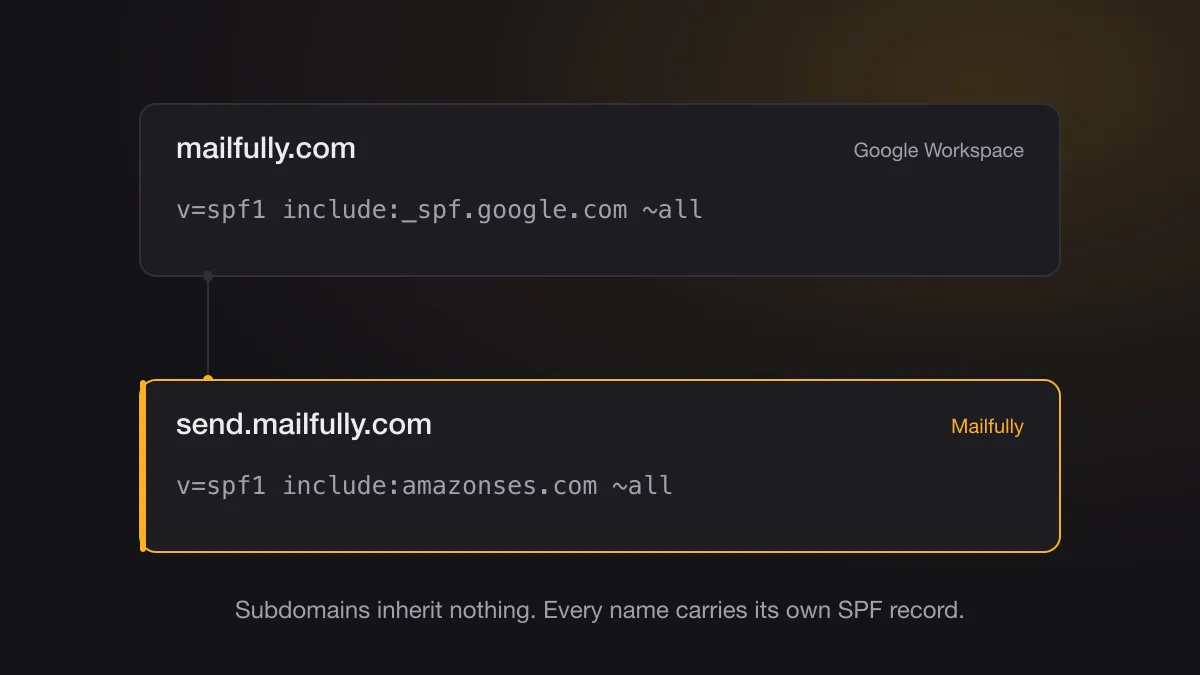
Most teams set up a new email provider the same way. Copy the SPF include from the provider's docs, paste it into the TXT record on the root domain, send a test message, move on. It works. It also sets up a bad week later.
Two properties of SPF explain why.
SPF doesn't cascade
A record on example.com says nothing about mail.example.com, or about any other name beneath it. Receivers evaluate each name on its own, and subdomains inherit nothing.
That catches people out, reasonably enough, because plenty of DNS does cascade.
A name gets exactly one SPF record
Publish two v=spf1 TXT records on the same name and receivers won't merge them. They return a permerror. That doesn't fail gently: it takes down the whole SPF result for that name, including the sources that authenticated perfectly well yesterday, which is how a record you didn't touch starts failing on mail you've been sending for years.
The ten-lookup limit pushes in the same direction. Fold four providers into a single record and you can cross it without noticing, which lands you at the same permerror by a different road.
What that looks like when it breaks
Your root domain already sends mail, so it already has an SPF record, usually the one Google Workspace had you publish when the company first set up email and which nobody has read since. Then you add transactional email, and the provider's docs tell you to add an include. Someone publishes a second TXT record, or merges into the first and trips the lookup limit.
The blast radius isn't the new transactional mail. Password resets, receipts, and whatever your head of sales just sent from a laptop all fail the same check, because they were all authenticating against that one record.
Give sending its own name
Send transactional mail from a subdomain that does nothing else. Ours goes out from send.mailfully.com. The apex, mailfully.com, carries Google Workspace and its own separate SPF record, and the two never touch.
The records stop competing, which is the immediate win. Your provider gets a name to itself, so its include has a whole record to live in, and your Workspace record stays exactly as it was.
Reputation stops being shared too. Mailbox providers track sender reputation by domain, and a subdomain carries its own. When a marketing send goes badly, the damage lands on the name that did the sending rather than on the one your password resets go out from. The separation isn't absolute, since receivers also look at the organizational domain, but it's real and worth having.
The return path can line up as well. DMARC passes on SPF only when the domain in the Return-Path matches the domain in the From header. Most providers default the Return-Path to their own bounce domain, which authenticates their domain rather than yours, so SPF alignment fails and DKIM ends up carrying DMARC alone. Setting a custom MAIL FROM on your sending subdomain fixes that. Ours is mail.send.mailfully.com.
Setting it up
Pick a name that reads sensibly for your product. send and mail are the obvious ones, and notifications works if that's what the mail actually is. Point your provider at it, publish the DKIM and SPF records it asks for on that name, and leave the apex alone.
Then do the check people skip. Send yourself a message and read the raw headers. The Return-Path should sit on your sending subdomain rather than your provider's, and the DKIM d= should be your domain. If both hold, SPF and DKIM are aligned and DMARC has two independent ways to pass instead of none.
Moving an existing setup off the apex is less dramatic than it sounds. Stand up the subdomain, warm it gradually if you send real volume, then cut over. Your Workspace record never changes, and you stop being one DNS edit away from breaking every email your company sends.