The blog you're reading runs on Ghost, on a DigitalOcean droplet. Ghost needs to send a little mail of its own: staff invites, password resets, sign-in links for members. DigitalOcean said NOPE.
The first sign was a staff invite that never reached my teammate. The second was what Nodemailer, which Ghost uses underneath, reported:
Error: Connection timeout
    at SMTPConnection._formatError (.../nodemailer/lib/smtp-connection/index.js:905:19)
    at SMTPConnection._onError (.../nodemailer/lib/smtp-connection/index.js:886:20)
  code: 'ETIMEDOUT', command: 'CONN'
A timeout, and specifically not a refusal. A refused connection means something answered and said no. A timeout means the packets left and nothing came back, which on a fresh droplet with no firewall rules of your own means somebody upstream is dropping them.
What DigitalOcean blocks
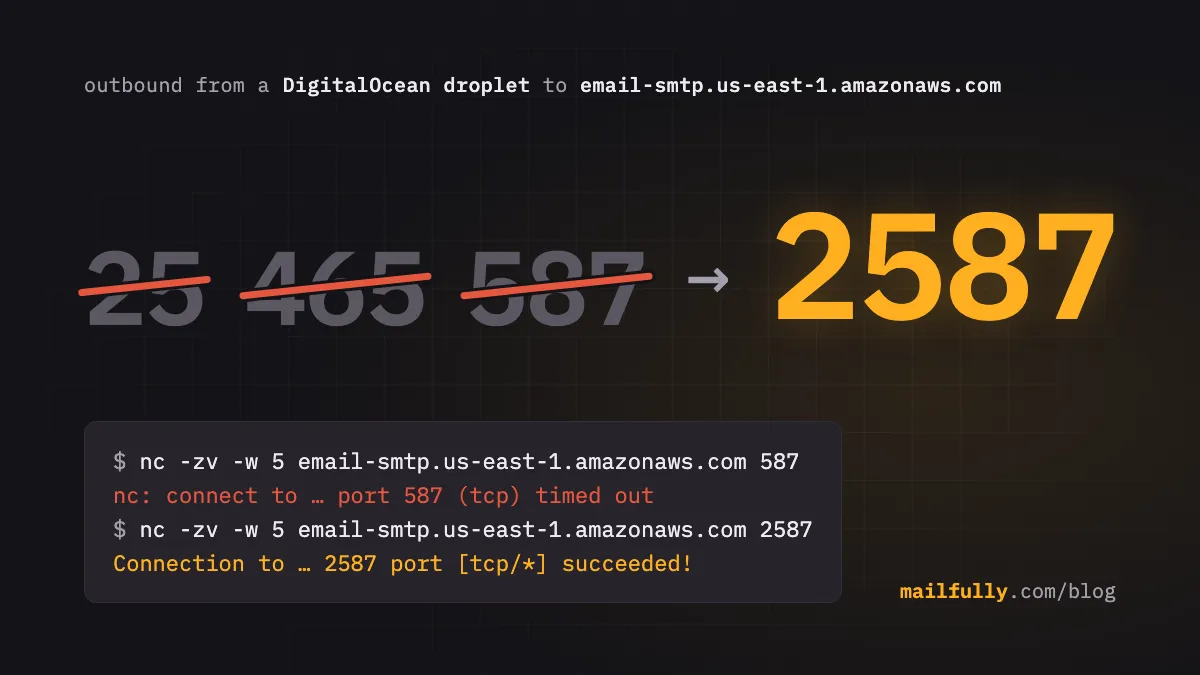
Every droplet has outbound TCP blocked on ports 25, 465 and 587. Those are the three ports every SMTP client defaults to: 25 for server-to-server delivery, 465 for SMTP over an immediate TLS connection, 587 for submission with STARTTLS. DigitalOcean's support page says the block is there to "prevent spam and other abuses on our platform", and points you at a third-party email provider instead. There is no process for getting it lifted, as we found out.
You can check it from the droplet yourself. Here's the run from ours:
$ for p in 25 465 587 2465 2587; do
    if timeout 5 bash -c "</dev/tcp/email-smtp.us-east-1.amazonaws.com/$p" 2>/dev/null; then
      echo "port $p: connected"
    else
      echo "port $p: timed out"
    fi
  done
port 25: timed out
port 465: timed out
port 587: timed out
port 2465: connected
port 2587: connected
DigitalOcean Support
We first did the obvious thing and opened a support ticket asking for the ports to be unblocked. It turned into a few weeks of back and forth; each DO reply wanted something more from us, and none of them ended with the block lifted. Eventually we stopped trying.
I'll admit it's fair enough from DO's side. A cloud provider's IP ranges end up on blocklists because of what a small number of customers do with port 25, and the cheapest fix is to close it for everyone. It's still a hassle.
SES listens on two more ports
Amazon SES's SMTP endpoint accepts STARTTLS connections on 25, 587 and 2587, and TLS-wrapped connections on 465 and 2465. That's straight from the SES documentation, and it exists for exactly this reason: plenty of networks block the standard ports, so AWS runs the same service on two high ones that almost nobody filters.
2587 is 587 with a 2 in front, and 2465 is 465 with one. It's one number in your config.
$ nc -w 5 email-smtp.us-east-1.amazonaws.com 2587
220 email-smtp.amazonaws.com ESMTP SimpleEmailService-d-5P61TYKQL llkfIXvtTznmnU2Bq9Ll
EHLO example.com
250-email-smtp.amazonaws.com
250-8BITMIME
250-STARTTLS
250-AUTH PLAIN LOGIN
250 Ok
If your provider isn't SES, check whether it does something similar. Several run a listener on 2525, which DigitalOcean's page doesn't list as blocked. We haven't tested 2525 from a droplet, so try it before you rely on it.
What we changed in Ghost
Ghost's own mail goes through Nodemailer, configured in config.production.json. A working config for SES on 2587 looks like this, with the addresses and credentials swapped for placeholders:
"mail": {
  "transport": "SMTP",
  "from": "Example <noreply@send.example.com>",
  "options": {
    "host": "email-smtp.us-east-1.amazonaws.com",
    "port": 2587,
    "secure": false,
    "auth": {
      "user": "AKIA................",
      "pass": "the derived SMTP password, not the secret access key"
    }
  }
}
"secure": false looks wrong and isn't. In Nodemailer that flag means "start with TLS already on", which is the 465-style connection. On 2587 the connection starts in plaintext and upgrades with STARTTLS, so secure has to be false. You can't leak credentials by getting this wrong, because SES won't take them before the upgrade:
AUTH LOGIN
530 Must issue a STARTTLS command first
If you'd rather not think about it, use 2465 with "secure": true. Both work from a droplet.
The password isn't your AWS secret access key. SES SMTP wants a password derived from the secret with a fixed HMAC chain. The console can generate one (it creates an IAM user behind the scenes), or if you already have an IAM user you derive it yourself. AWS publishes the algorithm; here it is in Python, cut down from their reference implementation:
import base64, hashlib, hmac

def ses_smtp_password(secret_access_key: str, region: str) -> str:
    def sign(key: bytes, msg: str) -> bytes:
        return hmac.new(key, msg.encode(), hashlib.sha256).digest()

    k = sign(("AWS4" + secret_access_key).encode(), "11111111")
    k = sign(k, region)
    k = sign(k, "ses")
    k = sign(k, "aws4_request")
    k = sign(k, "SendRawEmail")
    return base64.b64encode(bytes([0x04]) + k).decode()

print(ses_smtp_password("wJalrXUtnFEMI/K7MDENG/bPxRfiCYEXAMPLEKEY", "us-east-1"))
Username is the access key id, unchanged. The password is region-specific, so if you move regions you derive it again.
Whichever IAM user sits behind those credentials should be able to do one thing. Give it one inline policy:
{
  "Version": "2012-10-17",
  "Statement": [{
    "Effect": "Allow",
    "Action": "ses:SendRawEmail",
    "Resource": "arn:aws:ses:us-east-1:123456789012:identity/send.example.com"
  }]
}
AWS's console-generated policy uses "Resource": "*". Scoping it to the one identity means a leaked config file can send as that one domain and nothing else. Put the From address on a subdomain for the reasons in the previous post: your apex most likely carries Google Workspace and its own SPF record, and Ghost has no business near it.
Use an email API provider
Ghost only knows how to hand its mail to an SMTP server (or a local sendmail, which needs port 25 anyway), so we had to make SMTP work. Newsletters are a separate path that talks to Mailgun over HTTP; this is about the mail Ghost sends on its own behalf. Most applications don't have Ghost's constraint. If you're writing the code, the cleaner answer is to never open an SMTP connection from the box and post to an HTTP API on 443 instead, which no hosting provider blocks because it would take the rest of the internet down with it.
Any transactional email API will do this: SendGrid, Postmark, Resend, or Mailfully, which is ours and where the rest of our mail ended up. The request is the same shape everywhere:
curl -X POST https://api.mailfully.com/v1/emails \
  -H "Authorization: Bearer mf_live_..." \
  -H "Content-Type: application/json" \
  -d '{
    "from": "noreply@send.example.com",
    "to": "someone@example.com",
    "subject": "Your sign-in link",
    "text": "..."
  }'
You get a 202 and a message id back, and the provider handles connection reuse, retries, bounces and the reputation of the IP that actually talks to Gmail. None of it touches your droplet's outbound firewall.
If you landed here from a search with a timeout in your logs: DigitalOcean drops 25, 465 and 587. On SES, change the port to 2587 (or 2465). Anywhere else, look for a 2525 listener or move the send to an HTTP call, and don't wait on the ticket.